SMS Program
The program
DWIG is a sales assistant that texts you about your meetings, deals and follow-ups. Texts go to the rep's own mobile number. When a rep adds the DWIG number to a thread, DWIG sends messages to that thread as well. The Privacy Policy, linked below, says what we do with your number and your messages.
Program details
- Program name
- DWIG
- How you opt in
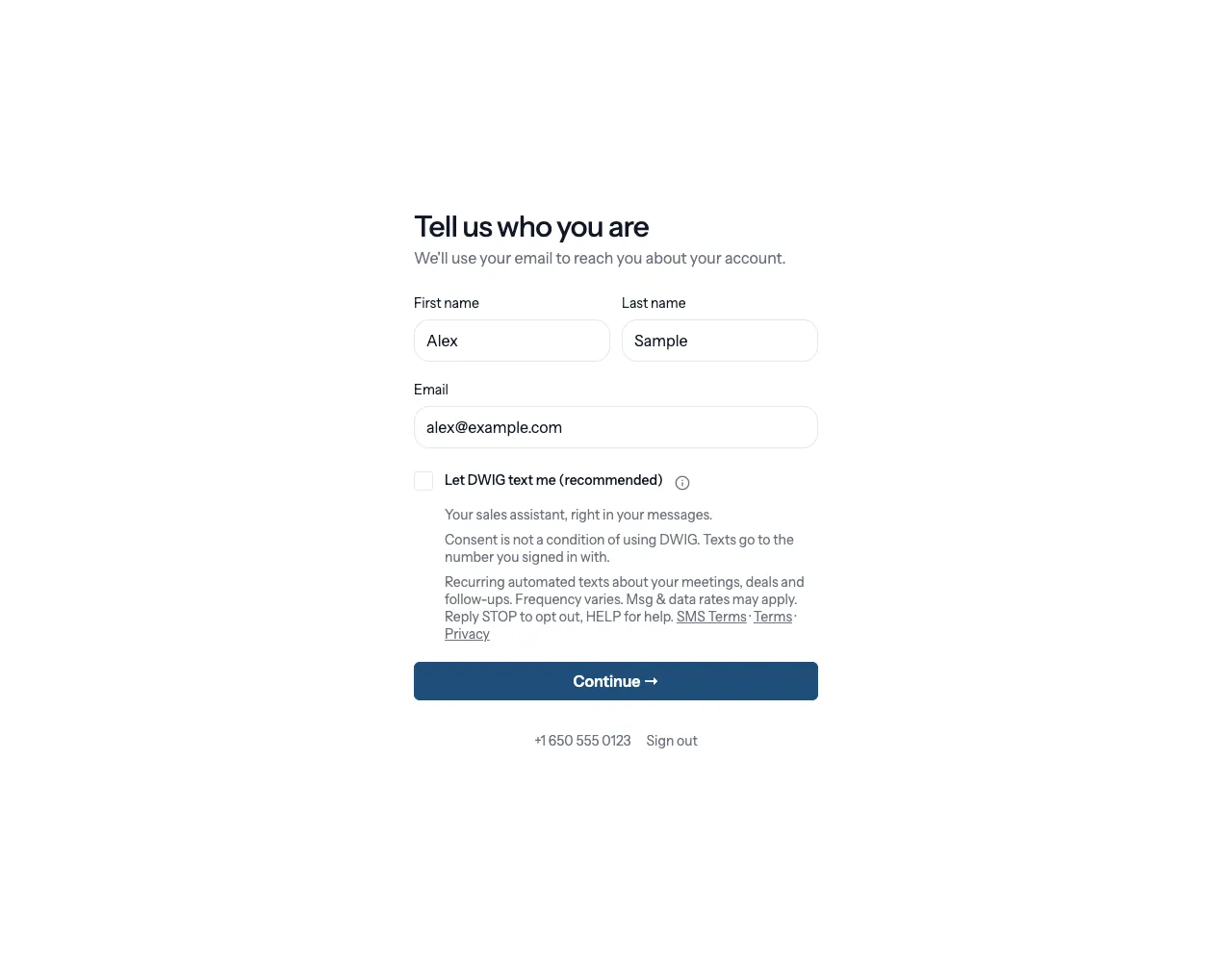
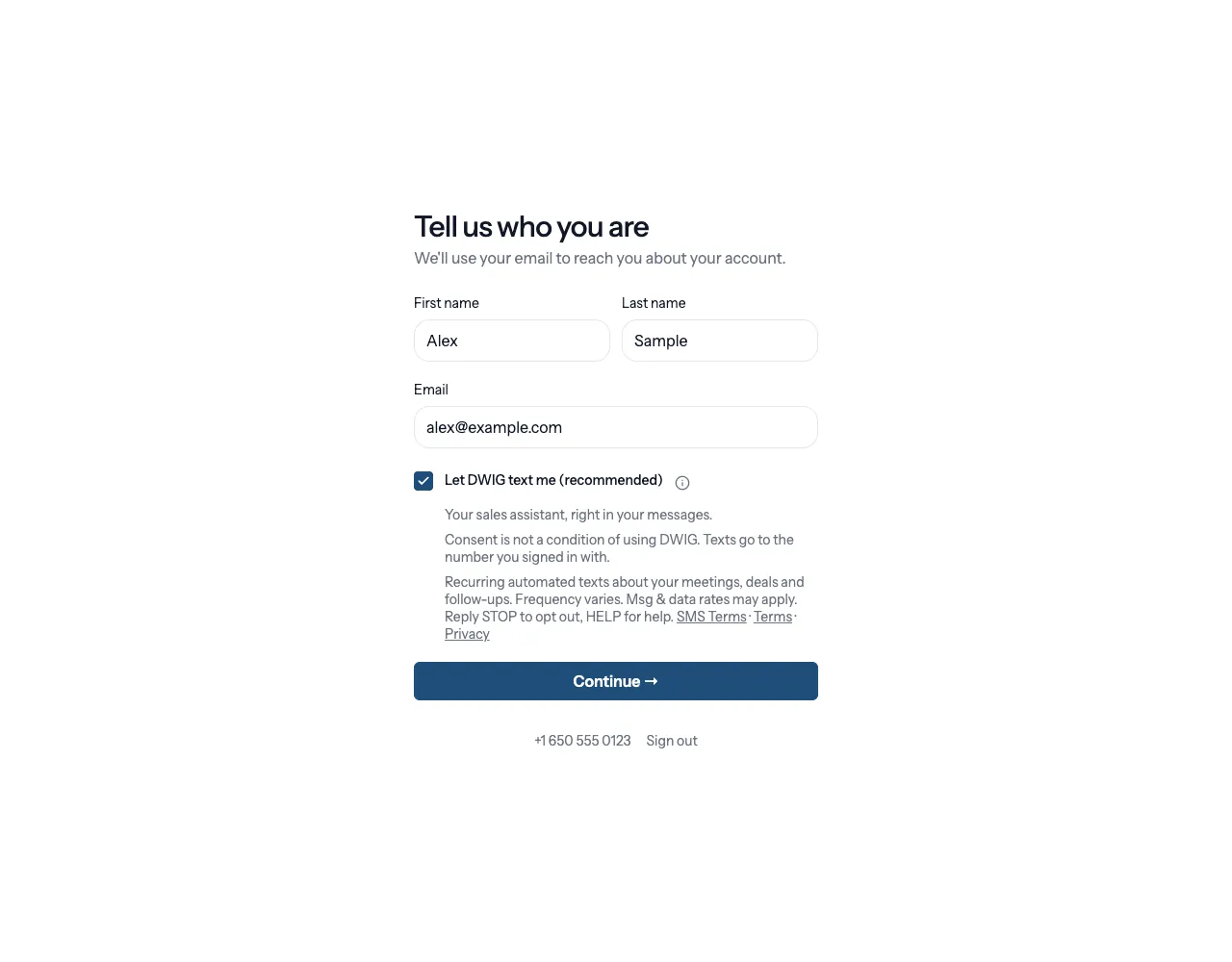
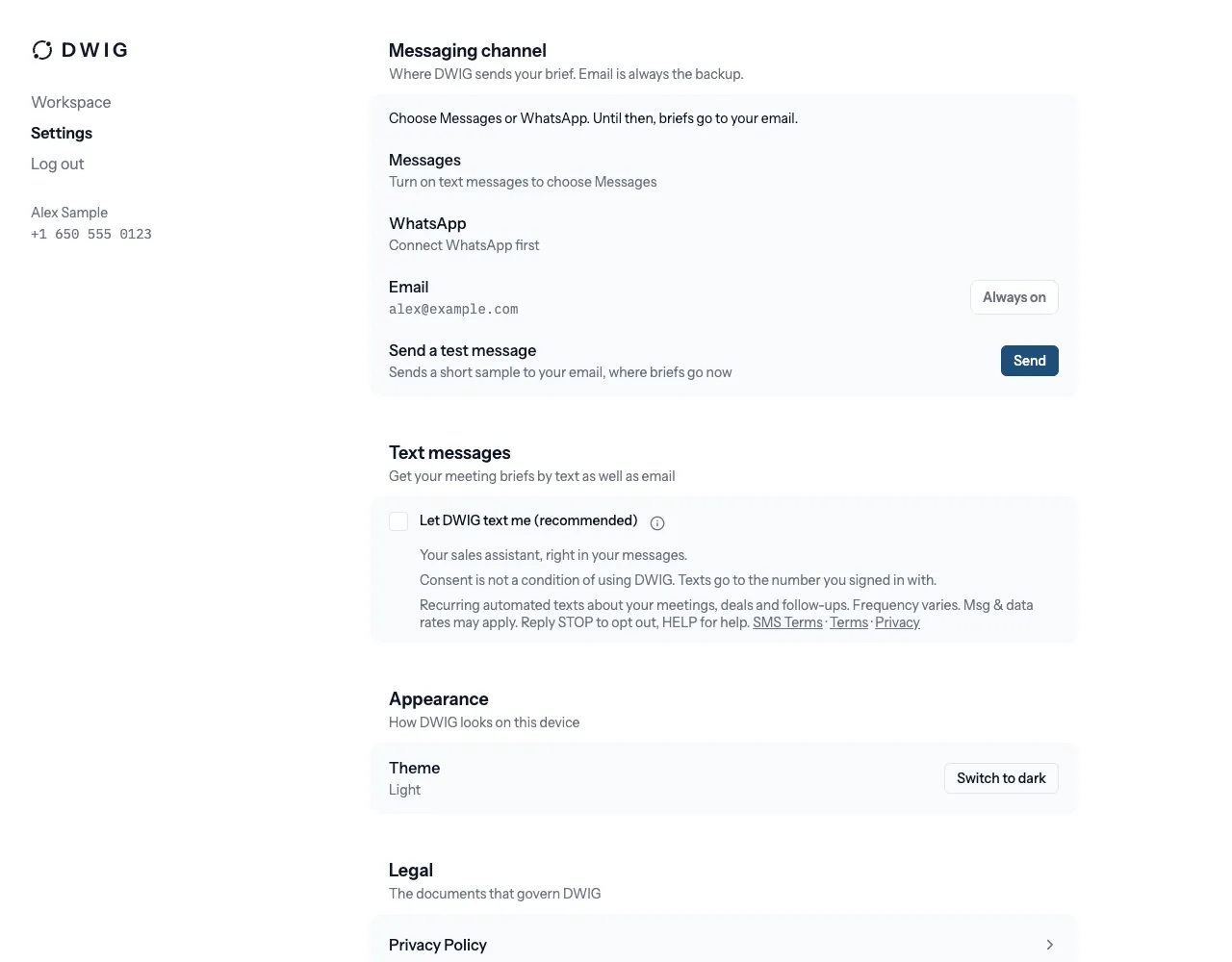
- You sign in to DWIG with a one-time code we text to your phone. That code is a single message you ask for, not a subscription. Recurring texts need a separate, unchecked box labelled Let DWIG text me (recommended). You can turn texts on in three ways. In onboarding, right after your first sign-in, tick the box under your first name, last name and email. If you tap Continue with the box unchecked, DWIG asks you once more, and only once: tap Let DWIG text me, or Use email instead. Or tick the box later in Settings, Text messages. Texts are optional: onboarding finishes either way, and without texts DWIG uses email. No one else can turn on texts for your number. We send no recurring texts until you tick the box or tap Let DWIG text me.
- Terms and privacy
- Read the Terms of Service and the Privacy Policy before you turn on texts.
- Group threads
- DWIG only sends in a group thread that a rep added the DWIG number to. It never texts a counterpart first. Anyone in the thread can reply STOP to opt out.
- Message frequency
- Message frequency varies. You can expect a few messages per business day around meetings.
- Cost
- Message and data rates may apply.
- How you opt out
- Reply STOP to unsubscribe. We stop sending immediately and confirm once. STOP clears your consent, and replying START does not restore it: to get texts again, tick the box in the app. You can also untick it in Settings, Text messages at any time.
- How to get help
-
Reply HELP for help or email support@dwig.ai. A text reading HELP gets this reply, word for word:
DWIG sales assistant. Help: support@dwig.ai. Msg & data rates may apply. Reply STOP to opt out.
- Carriers
- Carriers are not liable for any delayed or undelivered messages.
- Your mobile information
- Mobile information will not be shared with third parties or affiliates for marketing or promotional purposes. We share it only with the provider that delivers your messages.
The consent checkbox
Onboarding and Settings, Text messages show the same box, unchecked until you tick it. Its label, the line under it and the text beside it read, word for word:
Let DWIG text me (recommended)
Your sales assistant, right in your messages.
Recurring automated texts about your meetings, deals and follow-ups. Frequency varies. Msg & data rates may apply. Reply STOP to opt out, HELP for help. SMS Terms · Terms · Privacy
The info icon (ⓘ) next to the label reveals the rest, word for word:
Consent is not a condition of using DWIG. Texts go to the number you signed in with.
When you tick the box, or tap Let DWIG text me in the second ask, DWIG records your number, your account, the time, the version of this text and where you agreed: onboarding, the second ask or Settings. Nothing recurring goes by text without that record.
The second ask
If you tap Continue in onboarding with the box unchecked, DWIG asks once more, with the same disclosure and links as the box. It reads, word for word:
Let DWIG text you?
DWIG texts you to support your selling, and you can text back anytime. Without texts, DWIG uses email.
Recurring automated texts about your meetings, deals and follow-ups. Frequency varies. Msg & data rates may apply. Reply STOP to opt out, HELP for help. SMS Terms · Terms · Privacy
Two buttons of equal weight sit under it. Let DWIG text me records your consent. Use email instead finishes onboarding without it. DWIG shows this ask once and never again, and it never stops you finishing onboarding.
The sign-in code
The phone sign-in screen sends only the one-time code. It reads:
By tapping Send code, you agree to the Terms of Service and acknowledge the Privacy Policy. We text you a one-time code to sign in. Message and data rates may apply.